UX case study
E.I. Games · Game Builder
Redesigning the game builder educators use to create gamified lessons—clearer structure for levels, content, and publishing so teachers can focus on teaching, not fighting the UI.
At a glance
The brief
Remake the builder teachers use for gamified lessons, so they can find levels, add content and see publish status without guessing.
Outcome
Levels, content and status (private / review / live) now read as one story instead of three separate areas.
Collaboration
Stayed in sync with stakeholders so scope, engineering and teacher-habit tradeoffs surfaced early, not at handoff.
Takeaway
Teachers are interrupted constantly, so even “standard” patterns need checking against real classroom use.
What I focused on
- Map how teachers move between game, levels and content
- Wireframe tabs, sidebars and modals
- Iterate toward a calmer editor with clear primary actions
- Match patterns to classroom workflows
Starting pointBefore redesign · baseline UI
Before
The live builder worked, but the UI didn’t yet read as one clear path from structuring a game to publishing it.
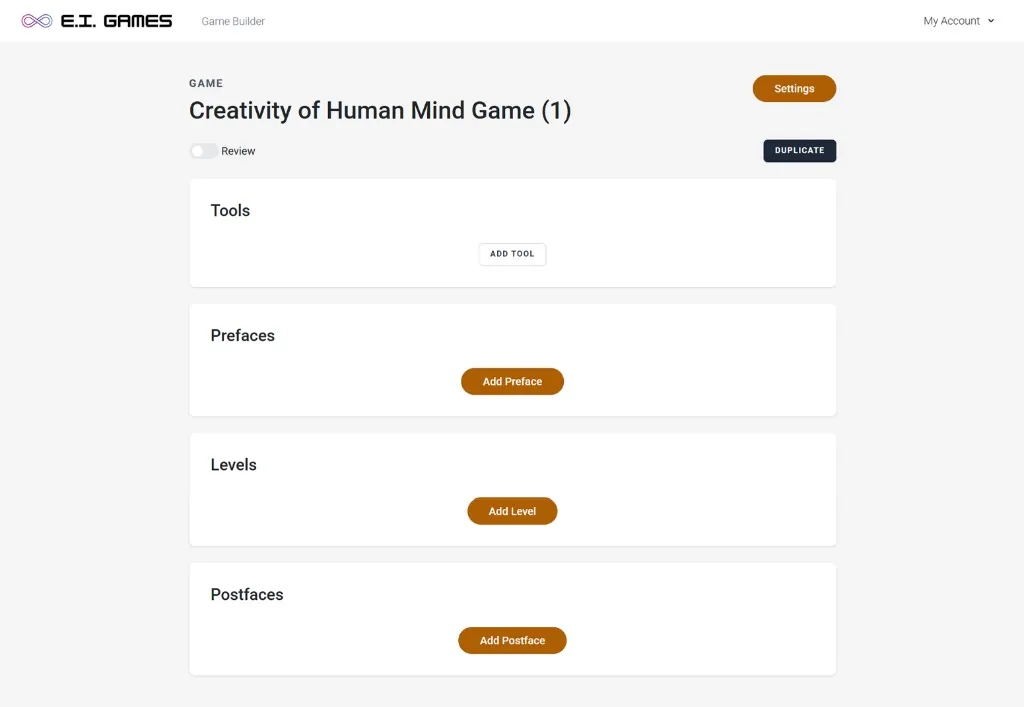
Problems
- Fragmented layout made it hard to understand the creation flow.
- Key actions (tools, levels, pre/post content) lacked hierarchy.
- No clear guidance on where to start or what comes next.
- Visual weight didn’t match the importance of actions.
Solutions
- Introduce a clear structure for building content.
- Establish hierarchy across actions and sections.
- Guide users through a step-by-step workflow.
Stage 1Cleaner UI, incomplete mental model
Wireframe exploration
Cleaner UI, but missing the core mental model of how teachers build.
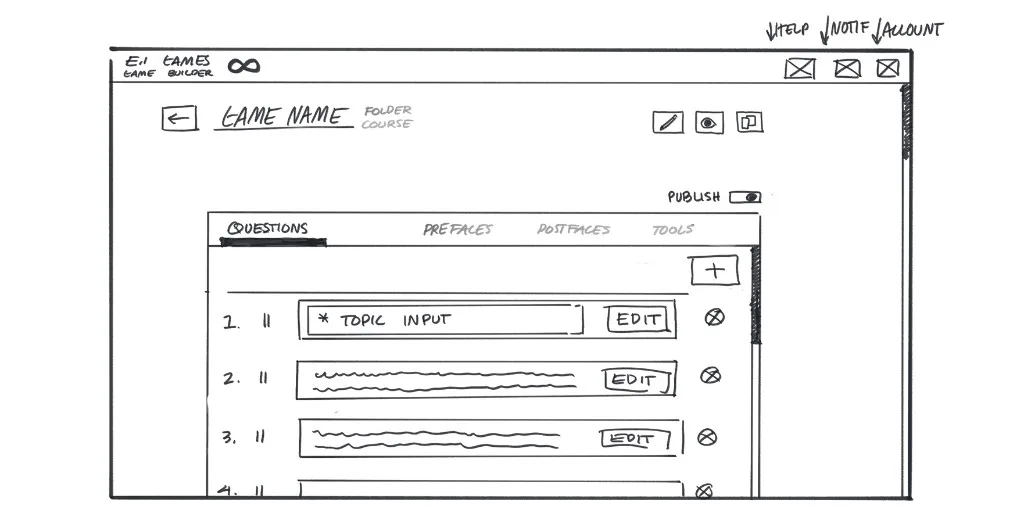
Problems
- “Levels” concept was missing from the core flow.
- Structure still felt flat—no sense of progression.
- Users lacked a clear path for building multi-step content.
Solutions
- Simplified layout reduced the clutter from the original.
- Introduced clearer grouping of questions and actions.
- Began establishing a more consistent interaction pattern.
Stage 2Structure in place, interaction still heavy
Grayscale structure
Introduced structure, but needed to simplify how users interact with it.
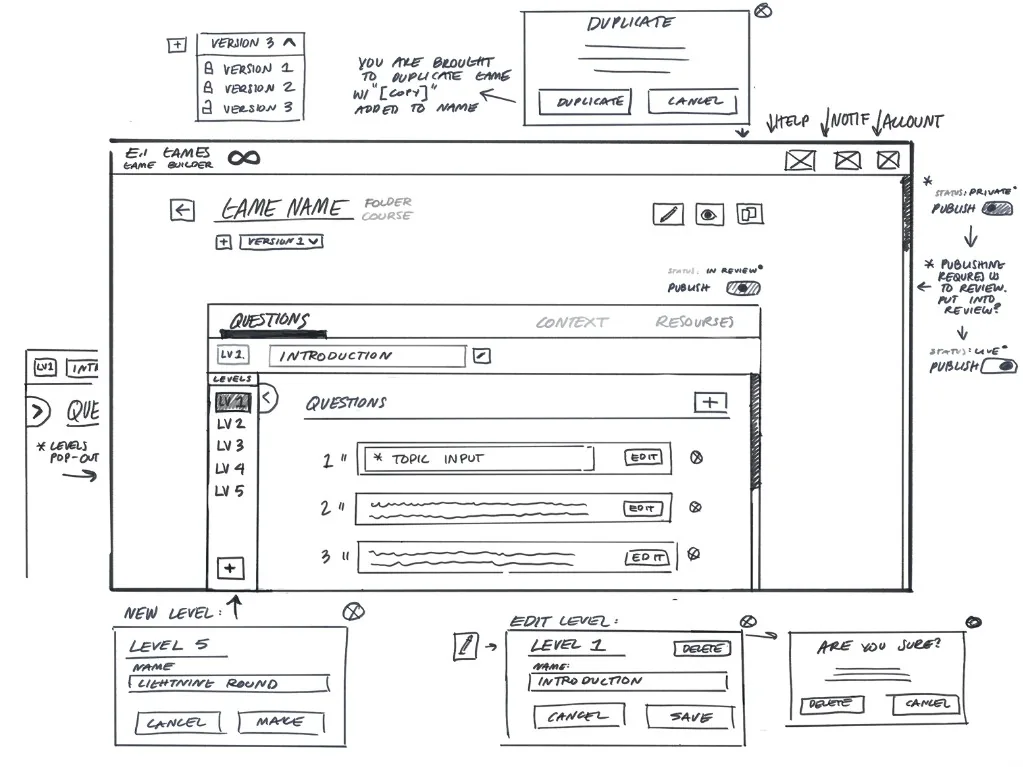
Problems
- Added complexity made the interface feel heavier.
- Navigation between levels wasn’t intuitive.
- Too many controls competing for attention.
Solutions
- Simplified how users switch and manage levels.
- Reduced visual noise to focus on primary actions.
- Strengthened hierarchy to guide the workflow.
- Introduced “Levels” as a core part of the creation flow.
- Added a clearer hierarchy between levels and questions.
- Began separating content into distinct sections (questions, context, resources).
Stage 3More intuitive structure, guidance still thin
Builder home
A more intuitive structure, but still needed stronger guidance and clarity.
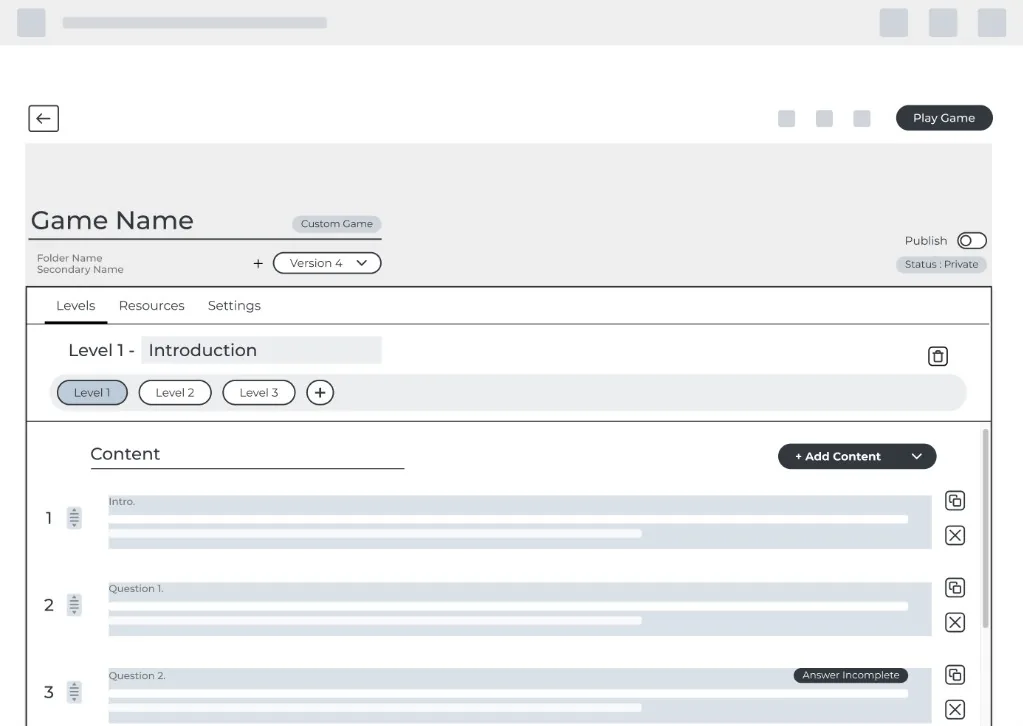
Problems
- Some actions still lacked clear emphasis.
- Content area still felt slightly dense.
- Workflow wasn’t fully guided yet.
Solutions
- Refined level navigation into a more intuitive, horizontal flow.
- Simplified layout to reduce visual noise.
- Strengthened hierarchy between levels and content.
- Clarified primary vs secondary actions.
- Improved spacing and readability of content blocks.
- Continued simplifying interactions across the page.
AfterDirection for the live builder
Later iteration
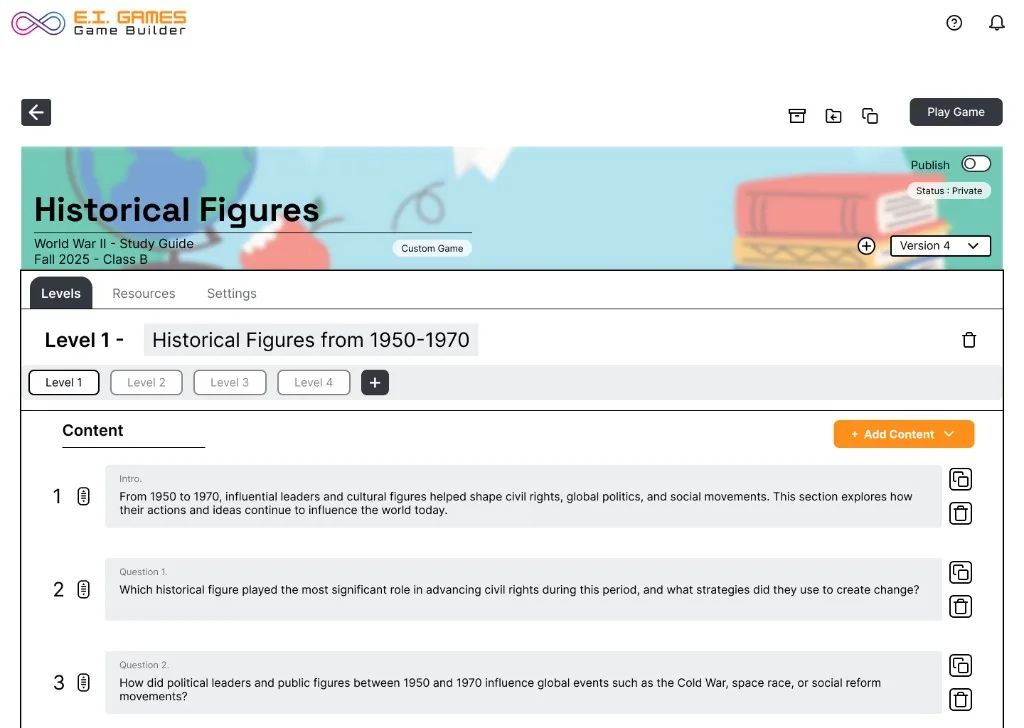
Final direction: a calmer editor with a clear game → levels → content story and obvious publish paths.
Problems
- Further reduce density in content areas.
- Continue refining action emphasis for faster scanning.
Solutions
- Clear top-down structure: Game → Levels → Content.
- Primary actions are consistently placed and easy to find.
- Tabs separate tasks (Levels, Resources, Settings).
- Content is organized into scannable, repeatable blocks.
- Versioning and publish controls are accessible without distraction.
Testimonial
“Elevated our product with a design that prioritized both function and user-friendliness. Great experience and an absolute pleasure to work with.”